
How To Reset An Air Compressor?
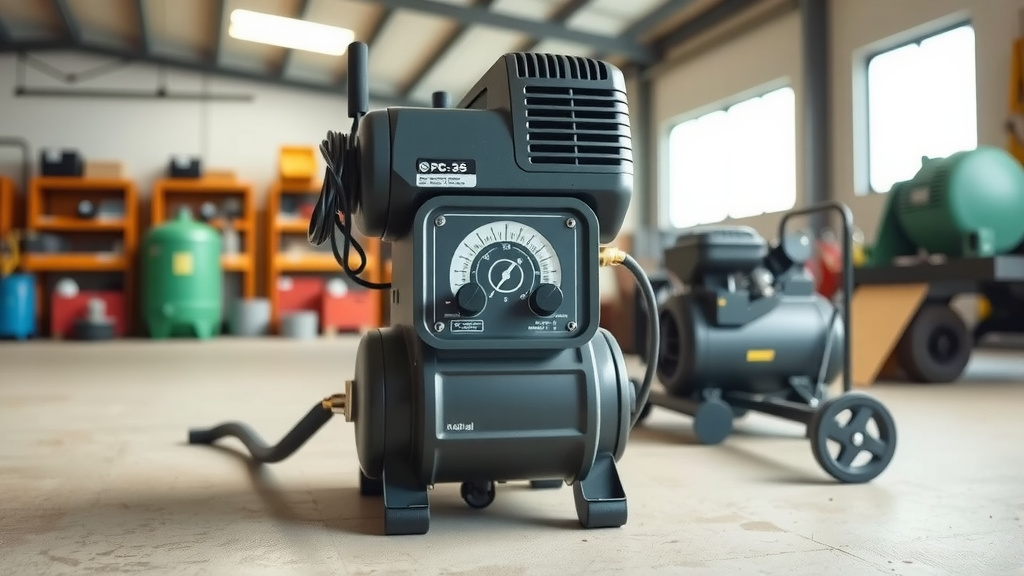
To reset an air compressor, you typically need to locate and press the dedicated reset button, often found on the motor housing or control panel, after safely disconnecting power and allowing the unit to cool.
This action helps your air compressor recover from power overloads or thermal trips, restoring normal operation and protecting its internal components.
Here’s the rundown if your air compressor decides to take a break:
- Safely disconnect power and let the compressor cool down completely.
- Look for a red or black reset button, usually on the motor or control panel.
- Press that button firmly. It’s like hitting refresh on your computer.
- Check for common issues like low voltage or a full tank if the reset doesn’t work.
- If problems continue, it might be time for a professional check-up.
How To Reset An Air Compressor?
Resetting an air compressor is usually a straightforward task that helps your unit recover from minor electrical or thermal issues, getting you back to work quickly.
It’s like giving your compressor a quick nap so it can wake up ready to go.
Why Does An Air Compressor Need Resetting?
Air compressors are smart machines, equipped with safety features to prevent damage when things get tough. When they reset, it’s often a sign that a protective mechanism has kicked in.
Think of it as your compressor taking a timeout to avoid overheating or an electrical short.
Common Reasons for a Trip
Your compressor might trip for a few understandable reasons. Overheating is a big one, often due to heavy use or poor ventilation.
Many experts say that low voltage or power surges can also trigger the safety switch, just like a circuit breaker in your home (OSHA guidelines).
Sometimes, the motor just gets overworked, especially if the tank isn’t draining regularly, making the compressor work harder than it should.
Safety First: Your Essential Preparations
Before you even think about touching that reset button, safety is your top priority. Air compressors are powerful tools, and treating them with respect keeps you safe.
This isn’t just a suggestion; it’s a rule of thumb for any compressor work (Manufacturer’s Safety Manual).
- Disconnect the power: Always unplug your compressor from the electrical outlet. If it’s hardwired, flip the circuit breaker.
- Release tank pressure: Open the drain valve or pull the safety relief valve to release any stored air. This removes potential energy.
- Allow it to cool: Give the compressor at least 20-30 minutes to cool down, especially if it tripped due to overheating.
- Wear protective gear: Gloves and safety glasses are always a good idea when working with machinery.
Step-by-Step Guide to Resetting Your Air Compressor
Once you’ve followed all the safety steps, you’re ready to guide your compressor back to life. It’s usually a simple process, much like restarting a computer that’s frozen.
Let’s walk through it together.
Disconnect Power
We mentioned this, but it bears repeating: unplug the compressor. Make sure there’s no way for it to accidentally power on while you’re inspecting it.
It’s the very first line of defense against accidental starts.
Allow Cooling
Patience is a virtue here. Give your compressor a good 20-30 minutes to dissipate heat. This is especially important if you suspect overheating was the cause.
A cool compressor is a happy, safer compressor.
Check for Obvious Issues
While it’s cooling, take a quick look around. Are the vents blocked? Is there enough oil (if it’s an oil-lubricated model)? Is anything rattling or visibly damaged?
Sometimes, the simplest problems have the most obvious solutions.
Locate the Reset Button
The reset button is often a small red or black button. You’ll usually find it near the motor, on the pressure switch, or on the main control panel.
It’s often clearly labeled as “RESET” or “BREAKER.”
Press the Reset Button
Once located, press the button firmly. You might hear a small click. This action usually resets the internal circuit breaker or thermal overload protector.
Don’t hold it down; a quick, firm press is all it needs.
Reconnect and Test
After pressing the reset, plug your compressor back in. Turn it on as you normally would. Listen for the motor, and watch for the tank to build pressure.
If all goes well, you should be back in business.
What If a Simple Reset Doesn’t Work?
Sometimes, a simple reset isn’t enough, and that’s okay. It just means we need to do a little more detective work to find the root cause.
Don’t worry; we’ll figure it out together.
Inspect Your Power Supply
Is the outlet working? Is the extension cord (if you’re using one) rated for your compressor’s power needs? Many compressor issues stem from inadequate power.
Research often connects power supply issues with compressor trips (Electrical Safety Foundation International).
Pressure Switch Check
The pressure switch controls when your compressor turns on and off. If it’s faulty, it might not be sending the right signals, causing the unit to stop.
Sometimes, a simple adjustment or cleaning of the contacts can help.
Motor Overload Protector
Beyond the reset button, some motors have an internal overload protector. If the motor feels excessively hot, it might be this component doing its job.
Always allow ample cooling time before further troubleshooting.
Thermal Overload
Similar to the motor protector, a thermal overload trips when the compressor gets too hot. Ensure good ventilation around your unit.
Blocked vents are a common, easily preventable cause of thermal trips.
Drain Your Tank
Excessive moisture in the tank makes the compressor work harder. Regularly draining the tank keeps the system efficient and reduces strain on the motor.
It’s a simple maintenance step that really helps.
When to Call a Professional
There comes a point when it’s wise to call in the experts. If you’ve tried everything and your compressor still refuses to run, or if you hear strange noises, it’s time.
Don’t risk further damage or your own safety trying to fix something beyond your comfort level.
Maintaining Your Compressor to Prevent Future Resets
Prevention is truly the best cure. A well-maintained air compressor is far less likely to trip and require a reset, saving you time and frustration.
It’s all about consistent, simple habits.
Regular Maintenance Checklist
Here’s a quick list to keep your compressor humming along:
- Drain the tank daily: Get rid of that moisture!
- Check oil levels regularly: For oil-lubricated models, keep it topped up.
- Clean air filters: A clogged filter makes the motor work harder.
- Inspect hoses and fittings: Look for leaks or cracks that cause inefficiency.
- Ensure proper ventilation: Keep the area around the compressor clear.
Daily Habits for a Happier Compressor
We found that simple, routine checks can greatly extend the life of your compressor. A quick visual inspection before and after use can catch problems early.
Think of it like a quick health check for your machine.
| Problem | Possible Cause | Troubleshooting Tip |
|---|---|---|
| Compressor Won’t Start After Reset | Low voltage, faulty pressure switch | Check power source, inspect switch wiring |
| Keeps Tripping | Overheating, motor overload, bad capacitor | Improve ventilation, check motor current |
| Runs Continuously | Air leak, pressure switch issue | Check connections, test pressure switch |
Conclusion
Resetting your air compressor is often a quick fix for common issues like overheating or power fluctuations. Remember, safety always comes first, so disconnect the power and allow it to cool before doing anything else.
By understanding why your compressor might trip and performing regular maintenance, you can keep your equipment running smoothly and prevent most problems before they even start.
If a simple reset doesn’t resolve the issue, don’t hesitate to investigate a bit further or call a professional. Your compressor will thank you!
Can I reset an air compressor without unplugging it?
No, you should always unplug your air compressor or turn off its dedicated circuit breaker before attempting any reset or inspection. This ensures your safety and prevents accidental starts.
Where is the reset button usually located on an air compressor?
The reset button is most commonly found on the motor housing itself, near the pressure switch, or on the main control panel of the air compressor. It’s typically a small, colored button (red or black) labeled “RESET.”
How long should I wait before resetting an overheated compressor?
If your compressor tripped due to overheating, allow it to cool down for at least 20-30 minutes. This gives the internal components time to cool off and prevents immediate re-tripping.
What if my air compressor keeps tripping even after a reset?
If your compressor repeatedly trips after a reset, it indicates a deeper issue. You should check for proper ventilation, inspect your power supply, and consider problems with the motor, pressure switch, or capacitor. If you can’t identify the cause, professional help is recommended.
Does draining the air tank help prevent the need to reset?
Yes, absolutely! Regularly draining the air tank removes accumulated moisture, which helps prevent rust and reduces the strain on the compressor motor. A less strained motor is less likely to overheat or experience electrical overloads that require a reset.
