
How To Reset Atlas Copco Air Compressor?
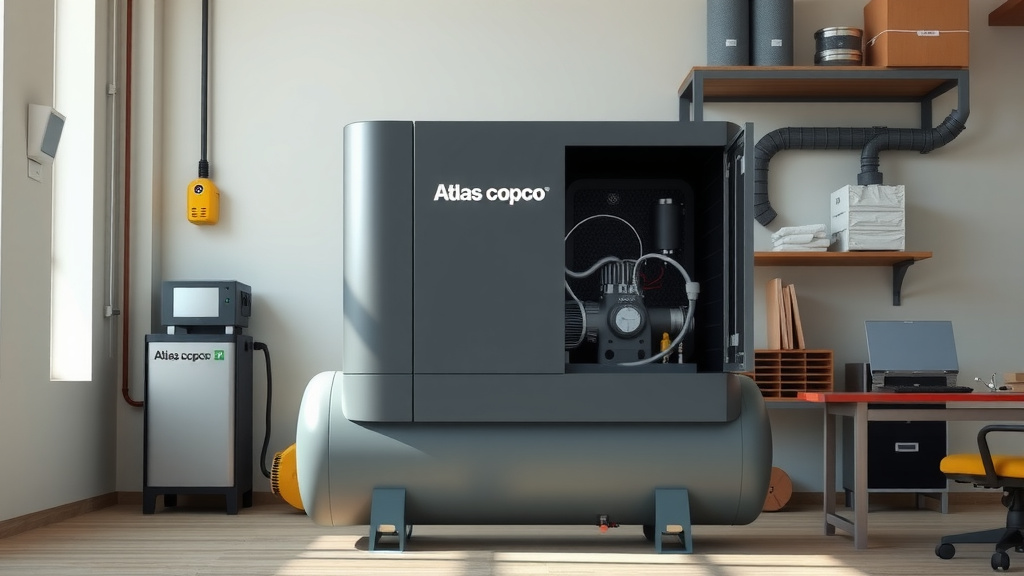
Resetting your Atlas Copco air compressor often involves a few simple steps to clear minor faults or bring it back to operational status.
Typically, you’ll need to identify the specific reset method for your model, which might include a power cycle, an emergency stop release, or a controller menu option.
Here’s a quick summary of what you’ll find in this guide:
- Understand why a reset might be needed for your compressor.
- Learn critical safety steps before attempting any reset.
- Discover the most common methods, including power cycling and controller resets.
- Find out what to do if a basic reset doesn’t solve the problem.
- Get practical tips to keep your Atlas Copco running smoothly.
How To Reset Atlas Copco Air Compressor?
Resetting an Atlas Copco air compressor usually means restarting its system to clear temporary errors or restore normal operation. You can often do this by cycling the power or using specific functions on its control panel.
Why Would You Need to Reset Your Compressor?
Your Atlas Copco air compressor is a robust machine, but sometimes it needs a refresh, much like your computer. Resets address minor glitches that stop it from working as it should.
We found that many users perform a reset to clear alarm codes or recover from an unexpected shutdown (Atlas Copco Service Manuals).
Common Reset Triggers
Compressors might need a reset for a few reasons. Perhaps there was a power fluctuation, or a sensor briefly acted up. Maybe the system registered an overload that isn’t truly present.
These triggers are often harmless, but they can temporarily halt your compressor’s operation. A simple reset can get you back on track quickly.
Before You Reset: Safety First!
Your safety is the top priority when working with any machinery. Air compressors store energy and operate with powerful components. Always approach them with caution.
Many experts emphasize that verifying the power is off and pressure is released is a fundamental safety step (OSHA guidelines).
Quick Safety Checklist
Before you touch anything, let’s go through a quick safety check:
- Disconnect the power at the main breaker or switch.
- Ensure the compressor has completely depressurized.
- Wear appropriate personal protective equipment (PPE), like safety glasses.
- Read your specific Atlas Copco compressor manual for any model-specific instructions.
- Never attempt a reset if you feel unsure or unsafe.
Different Ways to Reset Your Atlas Copco Air Compressor
Atlas Copco offers various compressor models, and reset procedures can differ slightly. We’ve found, though, that most methods fall into a few general categories.
Knowing these common approaches will prepare you for most situations you might face with your machine.
The Manual Power Cycle Reset
This is often the simplest and most effective first step, much like restarting your phone. It clears the compressor’s short-term memory.
To do this, turn off the main power switch to the compressor, wait a few minutes (many suggest 5-10 minutes), then turn the power back on. Observe if the compressor starts up normally.
Using the Controller Panel Reset
Your Atlas Copco compressor has a sophisticated control panel. This panel is your main interface for managing the unit, including performing resets.
We found that many models feature a dedicated reset button or a menu option labeled “Reset” or “Fault Reset” within the control system (Atlas Copco Elektronikon Controllers).
Consult your manual for the exact path in your controller’s menu. It’s usually straightforward once you know where to look.
Emergency Stop Button Reset
The emergency stop (E-stop) button is a critical safety feature. When pressed, it immediately cuts power and stops the compressor.
If your compressor stopped because the E-stop was engaged, you’ll need to rotate or pull the button to release it. After releasing, you might need to perform a power cycle or a controller reset to fully restart the system.
Software-Based Resets
Modern Atlas Copco compressors often have advanced Elektronikon controllers. These can sometimes require a soft reset or a specific sequence of button presses for certain errors.
Think of it like a specialized command for a specific problem. We found that these resets are less common for everyday issues but vital for clearing particular system faults.
Here’s a look at common reset types and when to use them:
| Reset Type | When to Use It |
|---|---|
| Power Cycle | Minor glitches, general unresponsive behavior, after E-stop release. |
| Controller Menu Reset | Specific fault codes, system alarms, after addressing an identified issue. |
| Emergency Stop Release | Compressor stopped due to the E-stop button being engaged. |
What to Do If the Reset Doesn’t Work
Sometimes, a simple reset isn’t enough. If your compressor still doesn’t operate correctly after trying these methods, it points to a deeper issue.
Don’t just keep hitting the reset button; that’s like putting a band-aid on a bigger problem. You need to investigate a bit further.
Troubleshooting Common Issues
If the reset fails, check these things:
- Power Supply: Is the main breaker tripped? Are all connections secure?
- Air Leaks: Listen for hissing sounds. Leaks make the compressor work harder and can cause faults.
- Filters: Are air or oil filters clogged? This restricts airflow and can lead to shutdowns.
- Oil Levels: Is the oil level correct? Low oil can cause overheating and damage.
- Error Codes: What specific error message is displayed on the controller? This code is your best clue.
Many experts advise that recording any error codes before attempting repairs is very helpful for diagnostics (Pneumatic Digest).
Preventative Maintenance Tips
The best way to avoid frequent resets and breakdowns is through regular maintenance. A well-cared-for machine performs better and lasts longer.
Think of it as giving your car regular oil changes. It prevents major problems down the road.
We found that following the manufacturer’s maintenance schedule can drastically reduce unexpected downtime (Atlas Copco Maintenance Guides).
Check filters regularly, monitor oil levels, and listen for unusual noises. These simple habits keep your compressor humming along happily.
Conclusion
Resetting your Atlas Copco air compressor is a common maintenance step, often resolving minor issues and restoring normal operation. Whether it’s a simple power cycle or navigating the controller menu, understanding these processes empowers you to quickly react to unexpected shutdowns.
Always prioritize safety and remember that a persistent problem after a reset usually signals a need for deeper troubleshooting or professional assistance. By staying proactive with maintenance and knowing these essential reset techniques, you keep your valuable equipment running efficiently and reliably.
What does “resetting” an air compressor actually do?
Resetting an air compressor typically clears temporary fault codes, restarts the control system, and can resolve minor software glitches, allowing the machine to attempt a normal startup sequence again.
How often should I reset my Atlas Copco compressor?
You should only reset your compressor when necessary, such as after an unexpected shutdown, an alarm, or a power outage. Frequent, unprompted resets could indicate an underlying issue that needs professional attention.
Can a bad sensor cause my Atlas Copco compressor to need a reset?
Yes, a faulty or intermittent sensor can trigger error codes that cause the compressor to shut down. A reset might temporarily clear the error, but the problem will likely return until the sensor is fixed or replaced.
Is pressing the emergency stop button a form of reset?
Pressing the emergency stop (E-stop) button immediately halts the compressor for safety. While it stops the machine, releasing the E-stop often requires a subsequent power cycle or controller reset to fully restart the compressor system.
When should I call a technician instead of trying to reset it myself?
You should call a qualified technician if the compressor fails to reset after multiple attempts, displays persistent or unfamiliar error codes, makes unusual noises, or if you suspect a serious mechanical or electrical problem.
